
Stopping AutoPay through Google Pay means taking charge of payments that usually run without attention. Most folks ignore these repeating charges since they are built to stay out of sight. A surprise fee might be what finally catches someone’s eye. Sometimes it is an expired free trial dragging on as a paid plan. Other times small price hikes across several services start to weigh more than expected. Things like double billing can also spark the decision. Awareness tends to arrive late, right when things get messy.
Where to Find AutoPay Settings in Google Pay
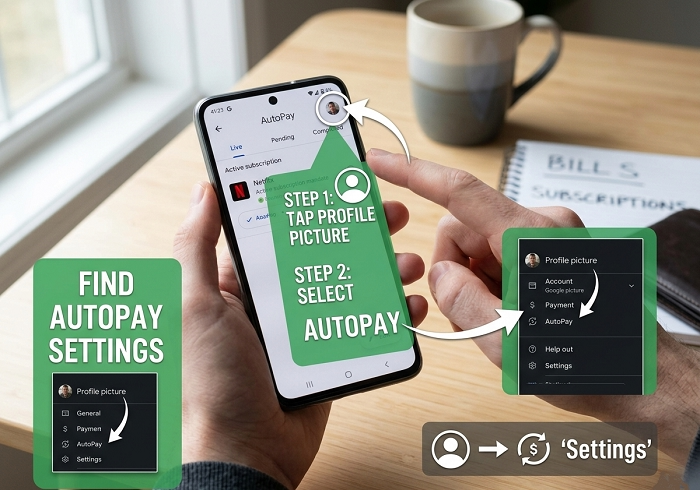
Hidden inside Google Pay, the feature sits tucked under Subscriptions – easy to miss when checking just wallet tools or saved cards.
Steps to Locate Subscriptions
- Open the Google Pay app.
- Tap the menu button.
- Look for Subscriptions.
- Avoid similar sections like Bills or Payments.
- Open the subscription list.
Launch the app first. The menu button comes next – it’s up to you where it shows. Seek out “Subscriptions,” nothing close enough like bills or payments. Naming keeps things straight; swap that term and confusion follows fast. Each live AutoPay deal shows there – music, video, software, clubs – dates visible, renewals flagged before they hit.
How to Cancel an AutoPay Subscription
Pick the subscription you want gone. Billing info appears – how often it charges, when the next payment hits, who’s getting paid.
Cancellation Process
| Step | Action |
| 1 | Select the subscription |
| 2 | Review billing details |
| 3 | Find “Stop Automatic Renewal” |
| 4 | Confirm the cancellation |
| 5 | Save proof of cancellation |
Look near the bottom; soft-colored words say something like Stop Automatic Renewal. One last check pops up – agree to that. It is finished. Once the present period ends, money stops moving. The amount you settled stays accounted for, only reversed if the company issues a return on its own.
Important Things to Know Before Canceling
Here’s something often missed: stopping payments through this platform halts upcoming fees yet leaves intact the original agreement made directly with the provider.
Key Points to Remember
- AutoPay cancellation stops future renewals.
- Existing paid periods remain active.
- Refunds depend on the service provider.
- Separate payment methods may still be active.
Even after turning off automatic renewal here, certain services might pull funds using alternate payment info saved apart from Google Pay. Disabling access on your device does not always stop billing – some apps keep charging regardless of activity level.
Family Plans and Shared Accounts
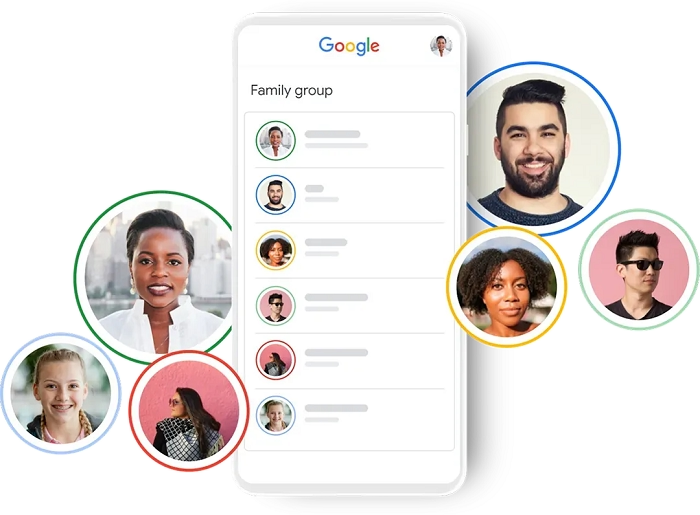
Here’s another issue: when a family plan runs through a single account, personal subscriptions hide inside shared charges. Things get harder to track that way. Checking directly on your own device helps spot what you’re actually signed up for.
Keep Proof of Your Cancellation
Later on, Google stores old cancellations in your transaction history – though they might not show up marked “canceled,” which can complicate reviews down the line.
Good Practice
- Take a screenshot after cancellation.
- Save confirmation messages.
- Keep email receipts.
- Review your payment history later.
When you confirm something, grabbing a screenshot gives you proof of when it happened.
Turn On Renewal Notifications
Most people do not notice how silencing alerts can lead straight to overlooked renewals. Still, flipping on simple email warnings through Google Pay helps keep track.
Benefits of Alerts
- Avoid surprise charges.
- Track upcoming renewals.
- Review subscriptions regularly.
- Cancel unwanted services before billing dates.
What Happens After You Cancel?
Most plans keep working until the paid time runs out. When that ends, everything stops – even if you cancel early. There is no standard extra time offered after cancellation. Access drops off right when the payment period finishes.
Most of the time, it runs without noise – yet asking questions keeps it sharp. Once every few weeks, pausing creates drag – but that slows things just enough. Paying attention pulls habits back into step with what matters. Then again, clarity often follows a simple pause.